What is Mabel.Rescue?
Verified 29 October 2026 · general information, not legal or veterinary advice
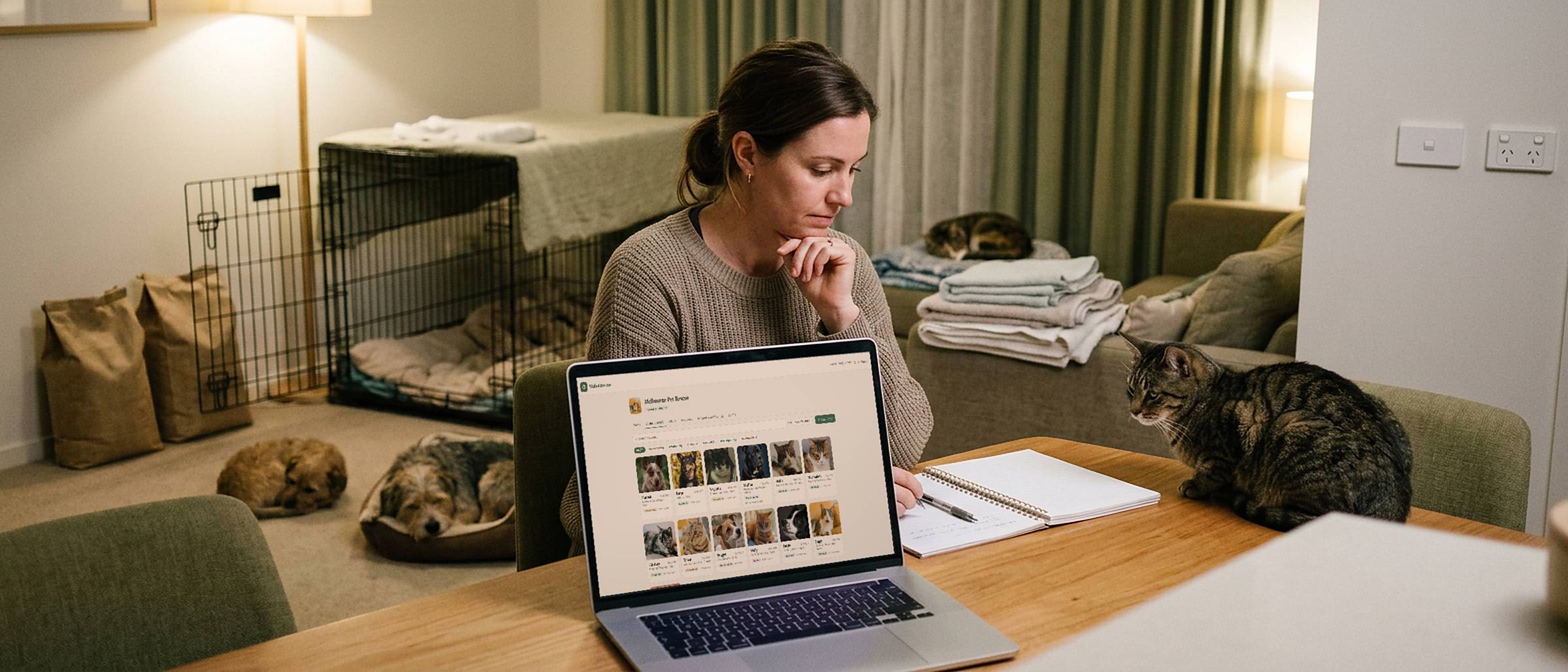
Mabel.Rescue is free software for running an animal rescue. Animals, health records, foster carers, the to-do list and adoptions, in one place the whole team can use.
It is built for small rescues — the ones currently running on a spreadsheet, a shared inbox and somebody’s memory — and it is free for rescue organisations, with no catches and nothing to upgrade to.
The portal is at rescue.mabel.pet, and you can look around a demo rescue before asking for anything: it is the real portal, filled with a made-up rescue’s animals, carers and adoptions, with nothing to sign up for.
The part that makes it different
Most rescue software stops at the moment of adoption. Mabel doesn’t, because the adopter gets the animal’s health history in their own app on the day they take it home.
Not a printout, not a “we’ll email it through”. The new family opens Mabel.Pet and the vaccinations, the treatments, the weights and the quirks are already there, carried over from your records. The animal arrives with its whole life attached.
That is better for the animal, it saves the phone call eight months later asking when the last C5 was, and it makes a volunteer-run rescue look exactly as organised as it actually is.
One record per animal
From intake to adoption: the health log, weights, vet visits, photographs and files, all on one record. Your team and your foster carers write into the same place, so there is one version of what happened rather than four people’s recollections.
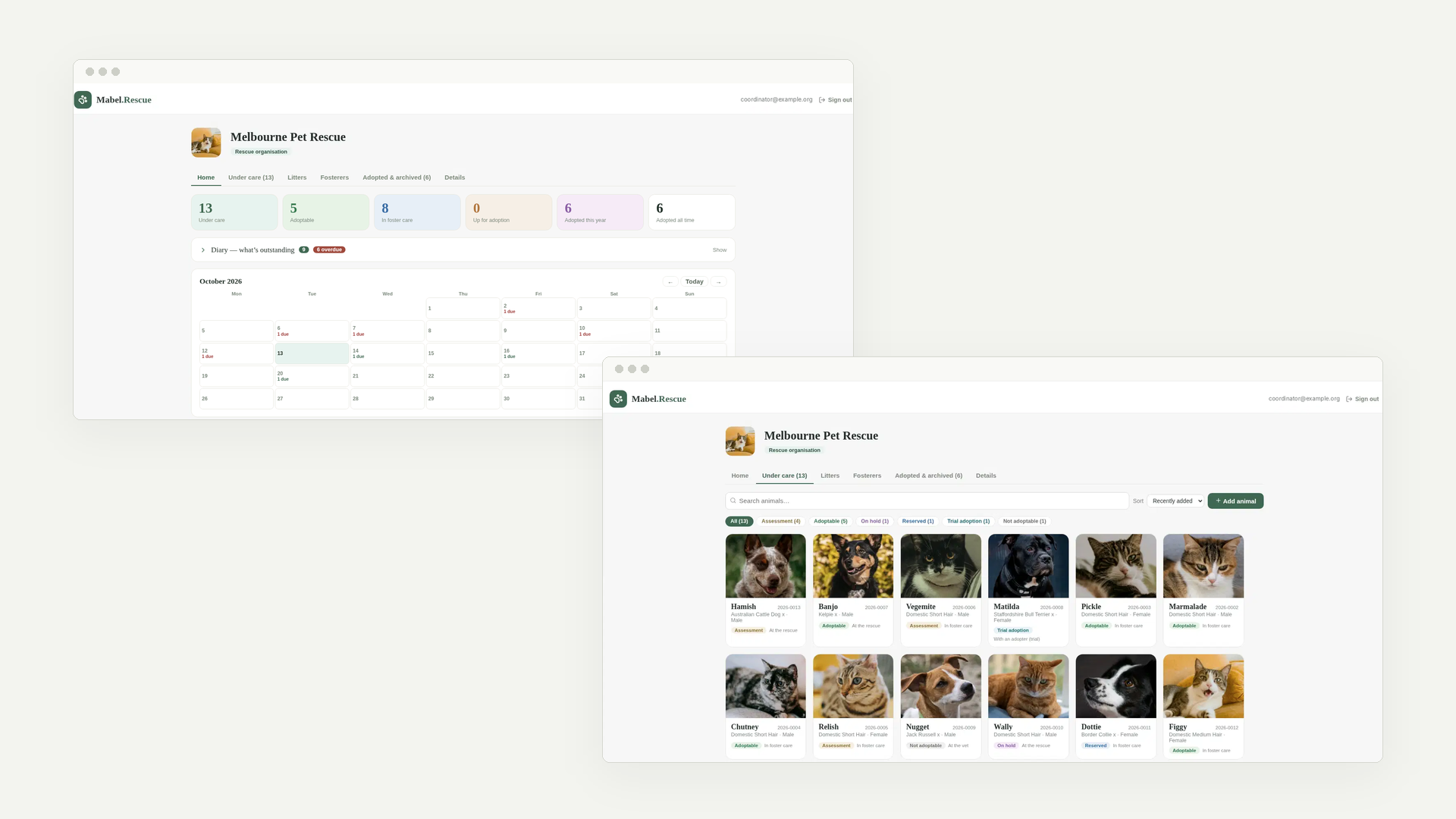
Animals sit in Under care while you have them and move to Adopted & archived when they leave, so the working list stays the animals that need something today.
Foster carers
This is the feature carers notice.
Assign an animal to a carer and it appears in their own Mabel.Pet app — the same app any pet owner uses, on their own phone. Everything they log — weights, symptoms, the vet trip, a photograph — lands straight back in your records. No forms to chase, no group chat to scroll through, no WhatsApp photo nobody can find in March.
⚠️ And their access ends automatically at adoption. You do not have to remember to remove anybody. The carer keeps nothing, sees nothing further, and you do not have to have that conversation.
Carers can tell you from the app how many animals they can take and whether they are open to more, so the portal shows who has room before anybody starts ringing around. And placing a whole litter with one carer sends them one email, not one per kitten.
Sharing a record with your vet
Open an animal and choose Give someone a link. Your vet opens the animal’s health record in a browser — no account, no app, nothing to accept — so the history is in front of them before the animal is. Tick Include attached files and the x-rays and lab results go with it.
Team notes and carers’ private notes are never on the page, nor is anybody’s email address. A link stops working after 7 days, you can turn it off sooner, and the portal shows whether it was opened and when. A foster carer can make one too, from the animal in their Mabel.Pet app, because they are usually the one in the waiting room. Theirs stops working when the animal leaves their care.
A rescue’s link is read-only: the vet reads the record, and your team or the carer logs the visit, so there is still one version of what happened. At adoption every link to the animal stops working, and the adopter shares from their own Mabel.Pet account — where their vet can send records back for them to accept.
The to-do list and the calendar
Who is ringing the vet, who is doing the home check, what is overdue. The diary is a shared list the whole team can tick off: each entry has somebody it belongs to, a due date, an optional animal, a note and a tick box.
The dashboard leads on unticked entries — everything the rescue still owes somebody — and on what is overdue, which is the number a volunteer coordinator actually needs to see. It is counted on the server rather than in the browser, so it does not drift when your team is spread across time zones or someone’s phone has the wrong date.
Reports
The figures rescues are usually asked for — by a grant application, a committee or a council — for any period you choose: how many animals came into care and why, how many left and how, and your live release rate, with cats and dogs apart. Tap a line to see which animals it counts. If a total does not add up, the page names the animals whose dates contradict each other, so you can fix the record rather than the sum.
Your admins can download your records as spreadsheets: animals, health records, foster placements and adoptions. The files leave out contact details — no email address, phone number or street address for adopters, previous owners or carers.
Litters
Every litter the rescue has, as a thing in its own right rather than a reference typed onto each kitten by hand. A litter holds its animals together properly, so a typo cannot quietly orphan one from its siblings and leave nothing to show it happened.
Your own address book
Staff, foster carers, the vets you refer to, volunteers, transporters — the rescue’s record of the real people it works with.
They exist whether or not the person uses Mabel. Adding somebody here never creates an account for them; if an account with their email exists, now or later, it links up on its own. “No Mabel account” is a normal state, not a problem to fix.
Adoption, and what stays yours
The handover is the highest-consequence screen in the portal, and it is built that way: it is the one place where a mistake would reach a stranger.
When you adopt an animal out, the health history goes to the adopter and everything else stays with you. Specifically:
| What | Where it ends up |
|---|---|
| Health history | Vaccinations, treatments, weights, vet visits, the photographs you took while the animal was in care — carried into the adopter’s own Mabel.Pet account. Goes to the adopter |
| Team notes | Enquiries, decisions, transport plans, the reason you turned down the first applicant. Visible to your organisation only — never to carers, never to vets, never to adopters. Stays internal, forever |
| The adopter’s own details | Their name and phone number, recorded so you can reach them. Kept in your records only — it never travels with the animal. Yours only |
| Your foster carer’s access | Ends automatically at adoption, with nothing for anyone to remember. Closes itself |
⚠️ Enforced in the database, not just hidden in the interface. “Internal” notes that are only hidden by the page you are looking at are one bug away from not being internal. The separation is a rule the database itself applies, so a team note cannot reach an adopter even if something above it goes wrong.
If an adoption does not work out, you can take an animal back into care and record why, and the record keeps both chapters rather than pretending the first one did not happen.
Listing on PetRescue
In pilot. This is being trialled with a rescue partner before it is generally available, so it is not something you can switch on today. It is described here because it is close, and because it shapes how the animal records are built.
Mabel can send an animal’s listing to PetRescue straight from its record, so the details are typed once rather than twice. It arrives as a draft, and you publish it on PetRescue when you are happy with it.
Before anything is sent, a readiness check tells you what is still missing — PetRescue’s import asks for considerably more than you would expect, and finding that out one animal at a time is how an afternoon disappears. Mabel can only send cats, dogs and rabbits, because that is what PetRescue accepts from us.
Your PetRescue key stays yours: it is issued to your rescue by PetRescue, and the listing goes out as your organisation.
Your team
Invite the people who need access and give them the level they need — admins, who can manage the organisation and its people, and staff, who do the day-to-day work. Foster carers are not staff: they get an animal, not the organisation.
Each rescue gets 2 GB of storage for photographs and documents, which is a lot of animals, and the portal shows you what you have used.
What it costs
Nothing. It is free for rescue organisations. Not a trial, not a limited tier, not free until you grow.
Setting up a portal needs a creation code — one short code that opens an account for your organisation. That is there to keep the rescue portal to actual rescues, not to charge you. Ask us for one and tell us a little about your rescue.
What Mabel.Rescue is not
- It is not a donations or fundraising platform. It does not take payments and it does not manage donors.
- It is not a website for your rescue, and it does not replace the places you advertise animals.
- It is not veterinary software. It records what your team and your carers observe; your vet keeps their own clinical record.
- It will not do everything a large shelter needs. It is built for small rescues.
Getting started
Mabel.Rescue is free for rescue organisations. Opening a portal needs a creation code — tell us a little about your rescue and we will send you one. Your foster carers and your adopters use Mabel.Pet, which is free for them to install.
You do not have to ask for anything to look first: open the demo portal and click around a made-up rescue. There is nothing to sign up for, nothing to fill in, and nothing you click can change anything.
This page describes our own product, and is not veterinary advice. We have tried to describe it accurately, including what it does not do, but it is not independent advice either. Nothing Mabel records is a substitute for asking your vet about your own animal. Features and prices change — this page was checked on 29 October 2026.
Questions people ask
Is it really free?
Yes, for rescue organisations. Not a trial and not a limited tier. You need a creation code to open a portal, which exists to keep the rescue portal to actual rescues rather than to charge you — ask us and tell us a little about your rescue.
What do our foster carers have to install?
Mabel.Pet, the same app any pet owner uses, on their own phone. An animal you assign to them appears in it, everything they log comes back to you, and their access ends by itself when the animal is adopted.
How do we share an animal’s record with a vet?
Send them a link: open the animal and choose Give someone a link. It opens in a browser with no account or app, carries the x-rays and lab results if you tick the box, and never shows team notes or carers’ private notes. It stops working after 7 days, when you turn it off, or when the animal is adopted. A foster carer can make one from their Mabel.Pet app too, and theirs stops working when the animal leaves their care.
Can the vet add to the animal’s record?
Not through a rescue’s link, which is read-only — your team or the carer logs the visit, so there is one version of what happened. After adoption it is different: the adopter can make a link that lets their own vet send records back, which the adopter accepts or discards.
Can an adopter see our internal notes?
No. Team notes — enquiries, decisions, transport plans — are visible to your organisation only, never to carers, vets or adopters. That separation is enforced by the database rather than by the screen you happen to be looking at, so it does not depend on the interface behaving.
What does the adopter actually get?
The animal’s health history in their own Mabel.Pet account on day one: vaccinations, treatments, weights, vet visits and the photographs taken in care. Your internal notes and the adopter’s own contact details stay in your records.
What if an adoption does not work out?
You can take the animal back into care and record the reason. The record keeps both chapters, so the next adopter sees an honest history rather than a gap.
Can we list animals on PetRescue from Mabel?
That is in pilot — being trialled with a rescue partner before it is generally available, so it is not something you can switch on today. When it is ready it will prepare a listing from the animal’s record, tell you what is still missing before anything is sent, and send it under your own PetRescue key as a draft, which you publish on PetRescue.
Can we look around before asking for a code?
Yes. The demo at rescue.mabel.pet/demo is the real portal, filled with a made-up rescue’s animals, carers and adoptions. There is nothing to sign up for, and nothing you click there can change anything.
Can it give us our figures for a grant application or the committee?
Yes. The Reports tab counts the animals that came into care and why, the ones that left and how, and your live release rate, for any period you choose, with cats and dogs apart. Your admins can download your records as spreadsheets, which leave out every contact detail.
How much can we store?
2 GB of photographs and documents per rescue, and the portal shows what you have used. For most small rescues that is a great many animals.
Will it do everything our shelter needs?
Probably not, if you are a large shelter. It is built for small rescues and it does not do donations, fundraising or a public website.
Related reading
- rescue.mabel.pet — the portal itself, and its demo
- What a pet health record is — and why handing one over at adoption matters
- Moving to a new vet — useful for adopters settling an animal with a new clinic
- Privacy policy · Ask about a creation code
All accessed 29 October 2026.